Getting Started
Introduction
Welcome to the Shareorigin Administration Guide. This guide describes administration tasks for Shareorigin, the mobile access and secure file sharing solution that focuses on local file server cloud-enablement.
Shareorigin runs on the Windows Server platform and includes client agent software applications for Microsoft Windows, Mac OS X, and Mobile Clients for the Android and Apple iOS operating systems.
Important
Shareorigin includes a client application for Windows File Server, which is named “Server Agent”. This document is about Shareorigin itself, not about the “Server Agent”.
Attention
This admin guide is written for Shareorigin version 12.2.9413.50838
Overview
Shareorigin is a mobile access and secure file sharing solution. It differentiates itself from other File Sync and Share solutions by focusing on data security, permission controls and, file server cloud-enablements including data protection and cloud migration. Shareorigin surpasses the competition in the following areas:
Maintaining Active Directory, security and NTFS permissions on files and folders.
Providing live time sync-and-share with versioning and revision controls.
Providing On-Demand access that honors Read-Only, and Write permissions in Real-Time.
Mirroring of local network shares for Team Collaboration in the Cloud.
Provide drive mapping and file locking functionality for files in the Cloud.
Shareorigin is a software solution built on top of the Microsoft Web Platform. It provides file access and sharing functionality from PCs, Macs, File Servers, Web Browsers, and Mobile Devices. In addition, it also brings data protection and cloud migration features.
The services can be deployed in flexible combinations to meet different needs. There are two primary ways to deploy Shareorigin.
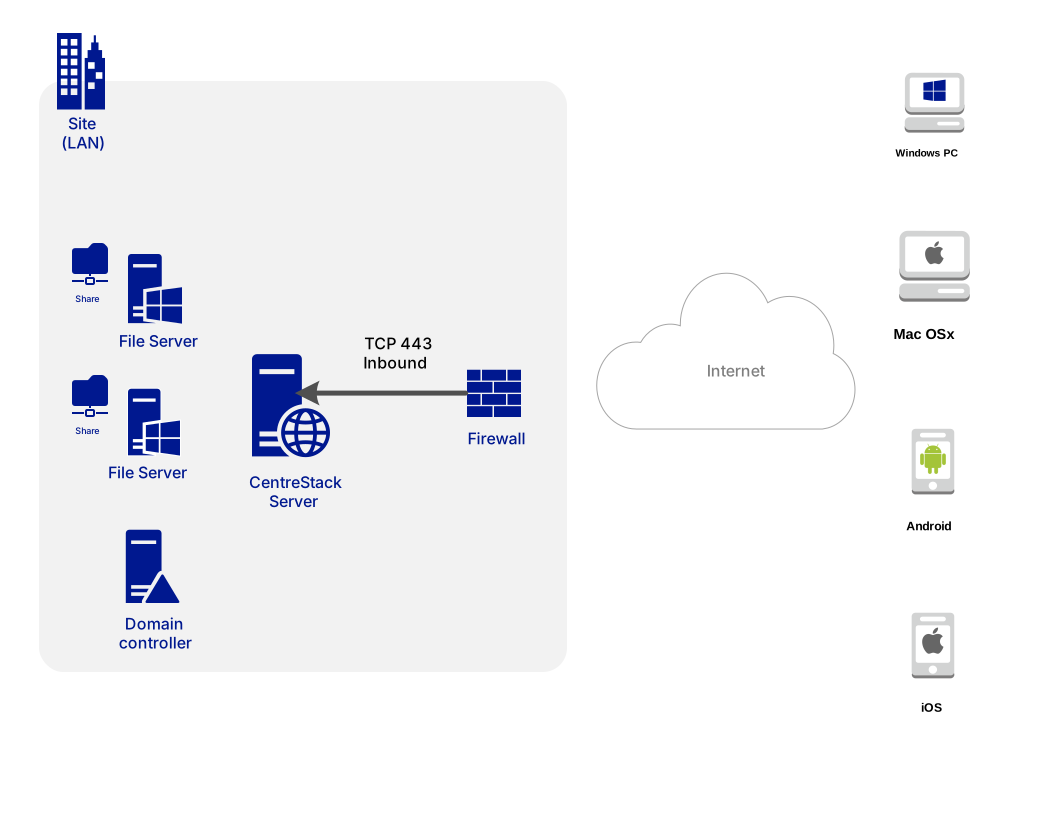
Deploy the Shareorigin server in the same site as the File Servers and Active Directory domain controllers:
See also: File Server Remote Access
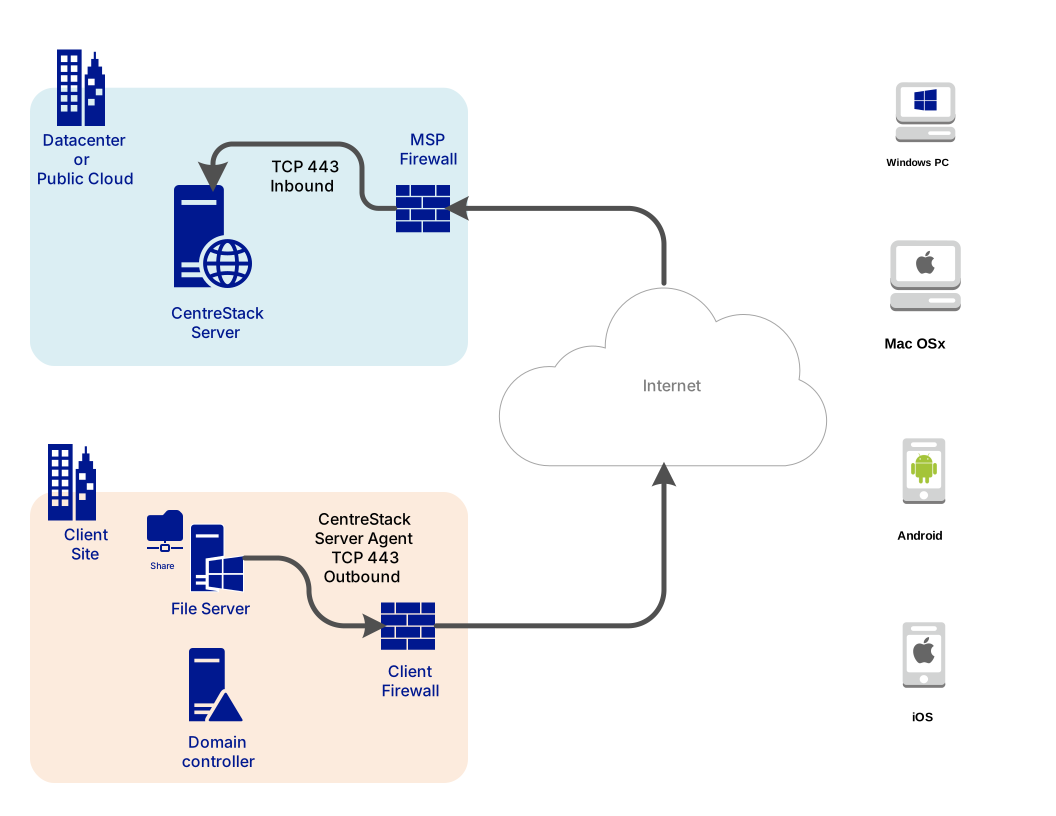
Deploy in a cloud data center, such as Amazon Web Services EC2, Microsoft Azure, or in a Data Center where the Managed Service Provider (MSP) hosts their infrastructure:
Please reference the “Installation Checklist” as well as the “Installation Guide” for information on how to setup and deploy CentreStack. This guide is focused on the administration of Shareorigin.
Note
This Administration Guide is for the Self-Hosted Shareorigin. For Hosted-CentreStack, please reference the Hosted CentreStack Admin Guide.